KI-Stem-Trennung
Demucs zerlegt jeden Song lokal auf deinem Rechner in Gesang, Drums, Bass, Gitarre und Piano. Ohne Cloud, ohne Upload.
WINDOWS · MACOS · LINUX · KOSTENLOS · OPEN SOURCE
Audiola zerlegt jeden Song per KI in seine Spuren. Danach arrangierst du, singst ein, tauschst Stimmen und masterst, alles im selben Fenster.
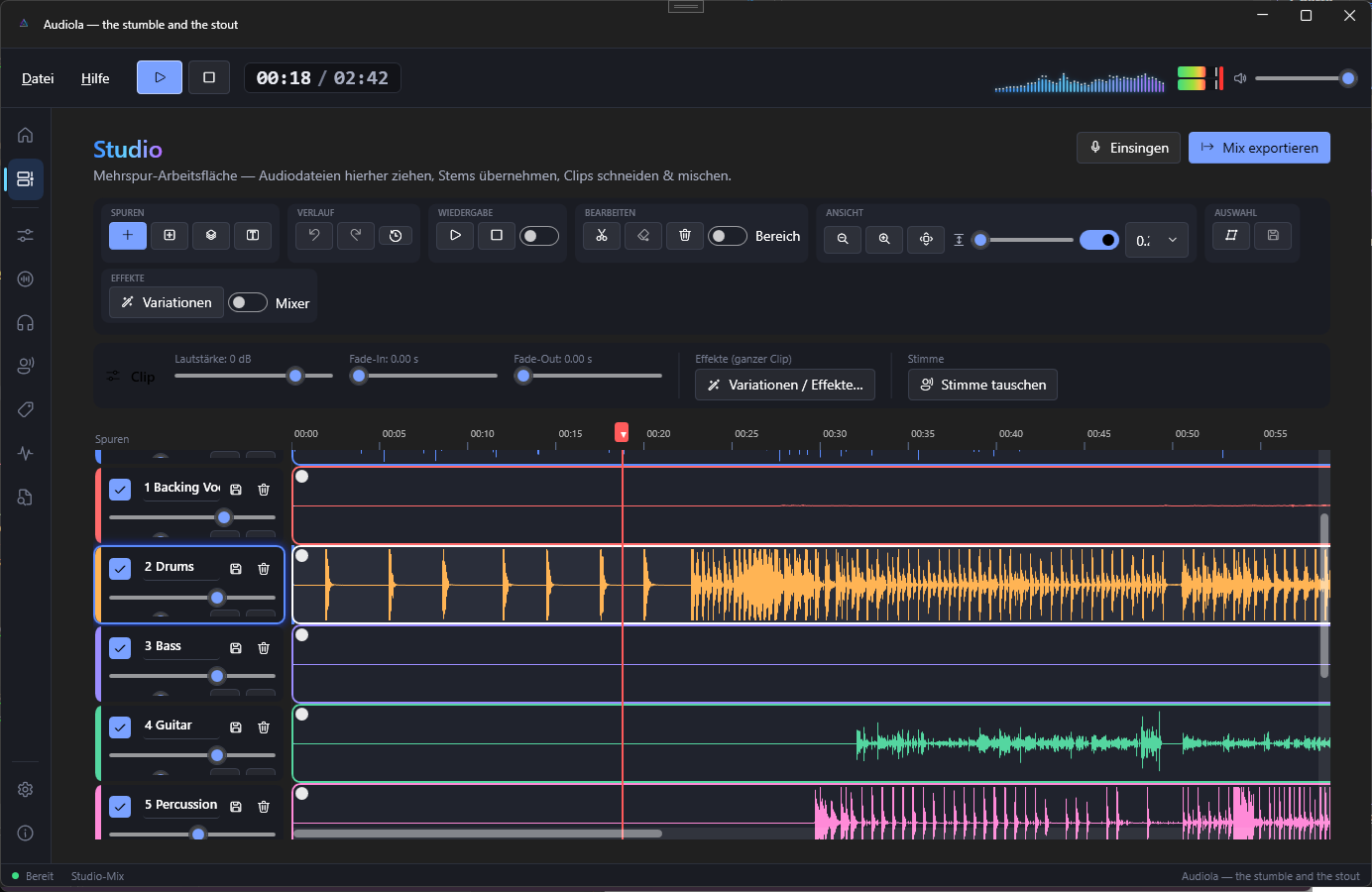
Demucs zerlegt jeden Song lokal auf deinem Rechner in Gesang, Drums, Bass, Gitarre und Piano. Ohne Cloud, ohne Upload.
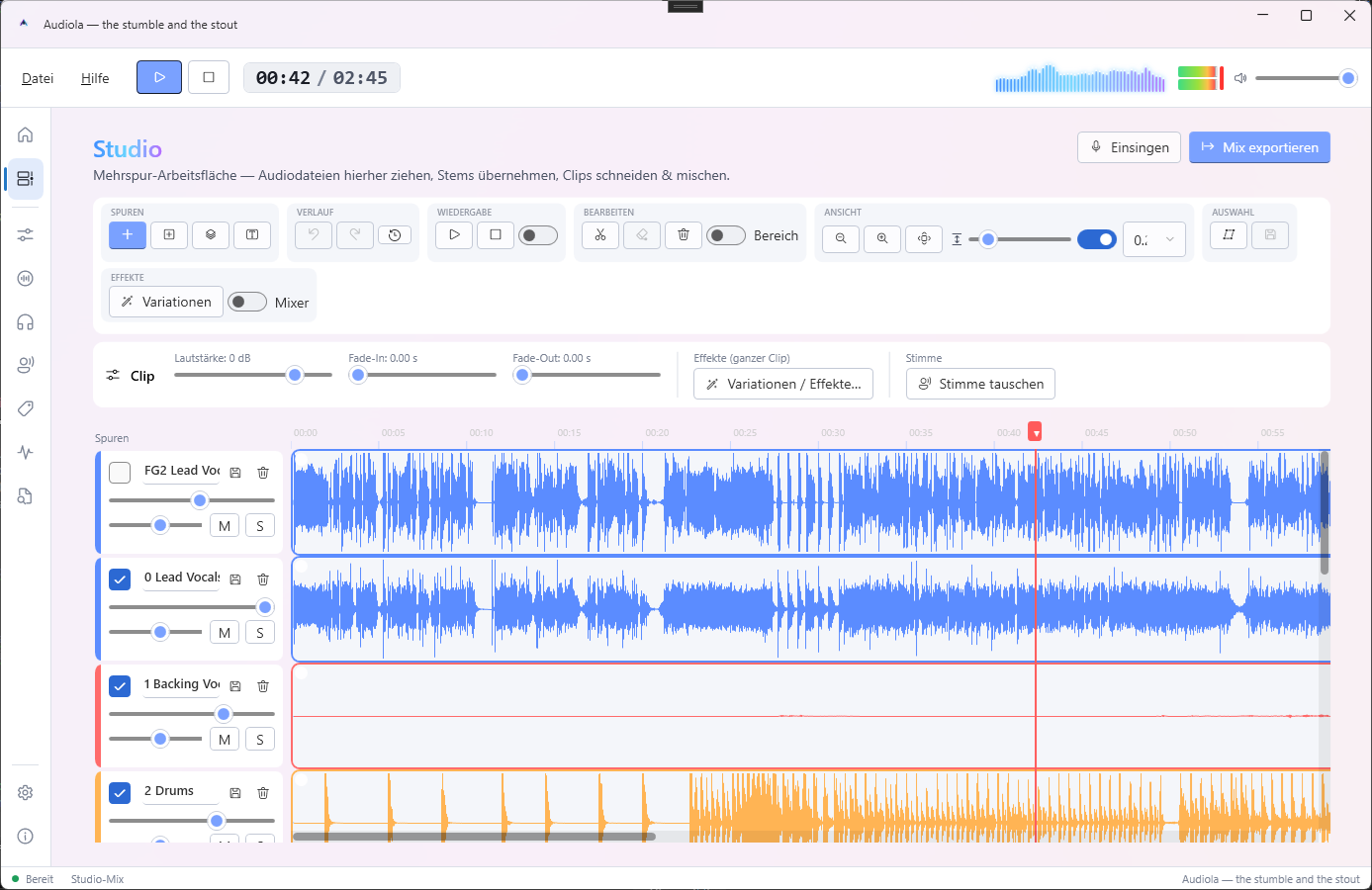
Clips schneiden, ziehen, faden und loopen, mit Undo-Verlauf, Raster und Effekten auf markierten Bereichen.
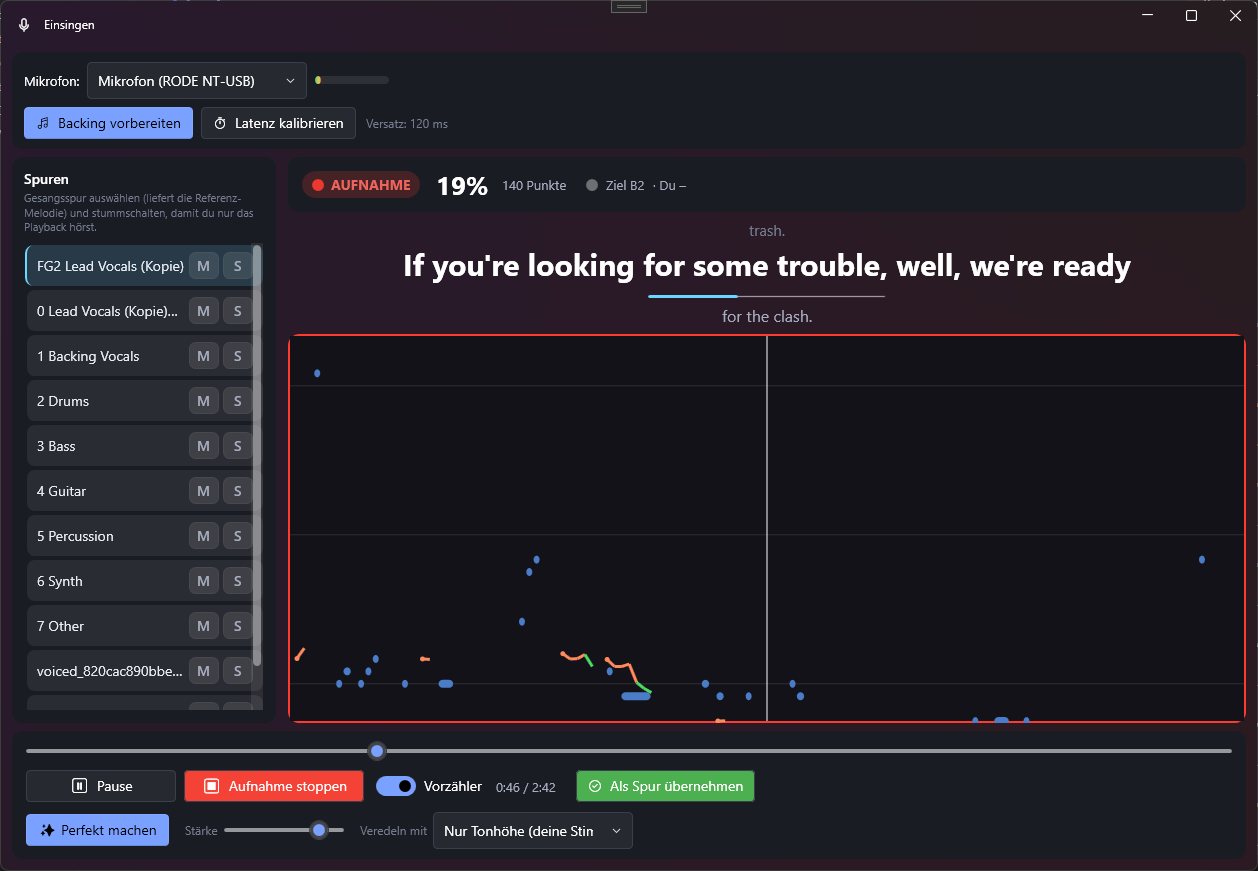
Karaoke-Ansicht mit Notenband und Punkten. „Perfekt machen" zieht deine Aufnahme sanft auf die Original-Melodie.
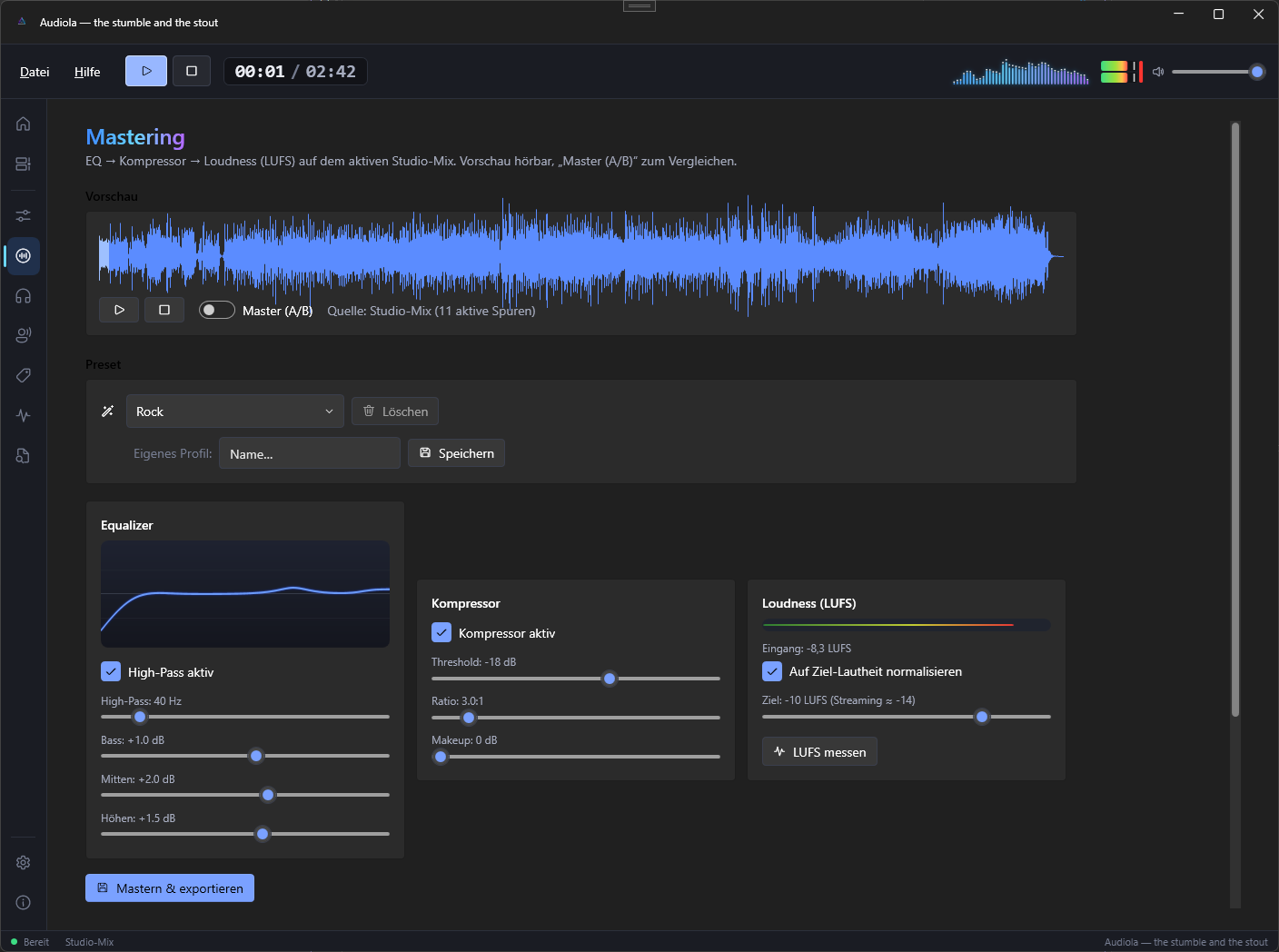
EQ, Kompressor und Ziel-Lautheit nach EBU R128, mit Live-A/B-Vergleich und 14 Profilen von Streaming bis Club.
Eigene Stimmen klonen (lokal oder ElevenLabs), Text-to-Speech-Spuren, Stimmtausch pro Clip.
Spuren frei im Raum platzieren, als 7.1.4-Bett für Kopfhörer oder als Atmos-Export.
DAS STUDIO
Zieh eine MP3 rein und sie wird zur Spur. Trenn sie in Stems, schneide Clips am Playhead, verschiebe Parts zwischen Spuren, setz Fades mit einem Griff.
.audiola hält alles in einer DateiEINSINGEN
Audiola macht aus jedem Song deine Karaoke-Kabine: Lyrics laufen mit, das Notenband zeigt die Original-Melodie, du siehst live, wie gut du triffst.
MASTERING
Der Mix geht durch EQ, Kompressor und Loudness-Normalisierung auf exakt die LUFS, die du willst. A/B-Schalter für den ehrlichen Vergleich, Wellenform mit Klick-Seek.
EQUALIZER & SPATIAL
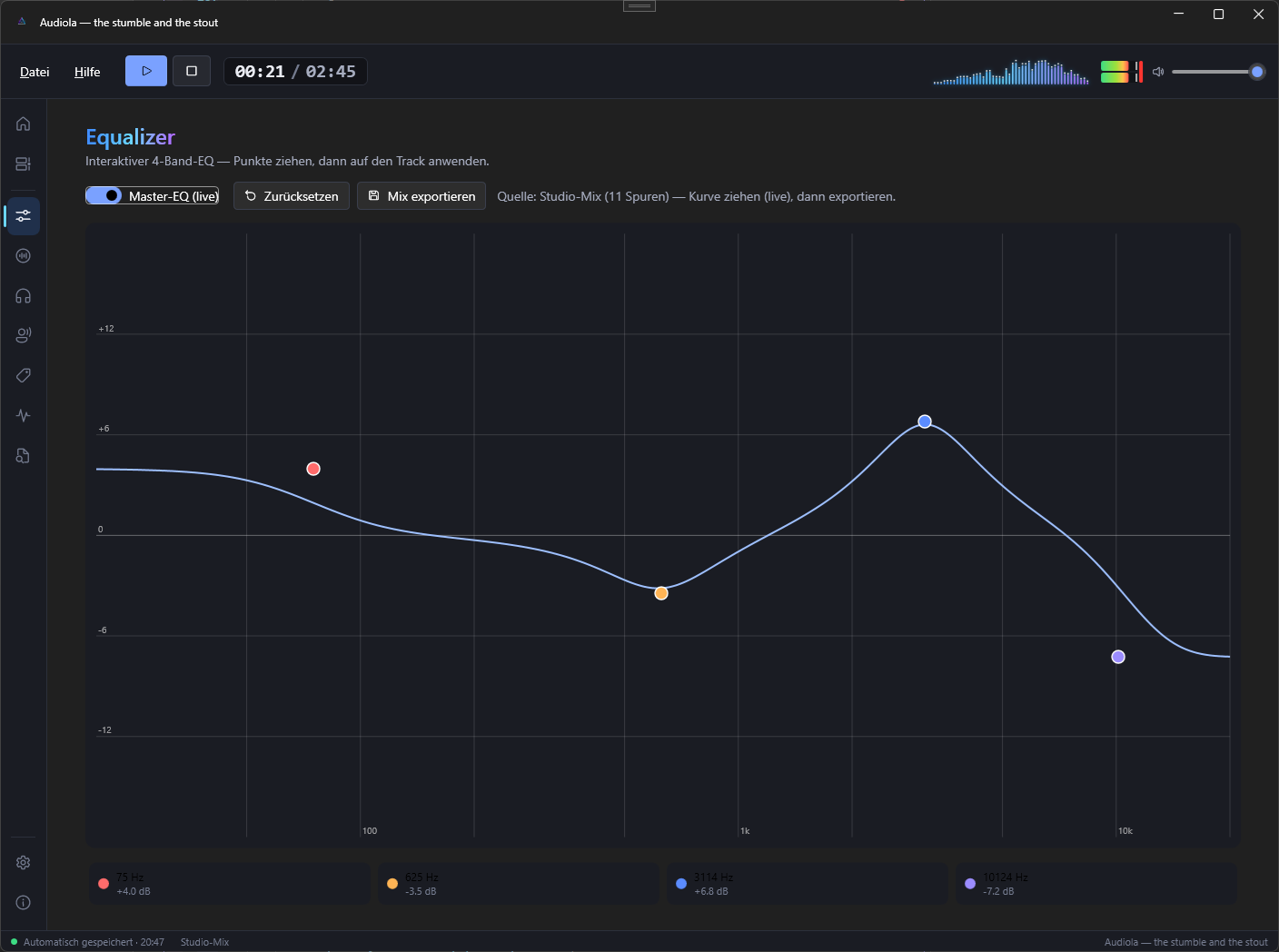
Der 4-Band-EQ wirkt live auf den Studio-Mix: Punkte ziehen, hören, fertig. Und wenn Stereo nicht reicht, platzierst du jede Spur frei im Raum.
STIMMEN
Stimm-Profile entstehen aus einer kurzen Aufnahme, lokal auf deiner GPU oder über ElevenLabs. Tausche die Stimme eines Clips, erzeuge Sprach-Spuren aus Text.
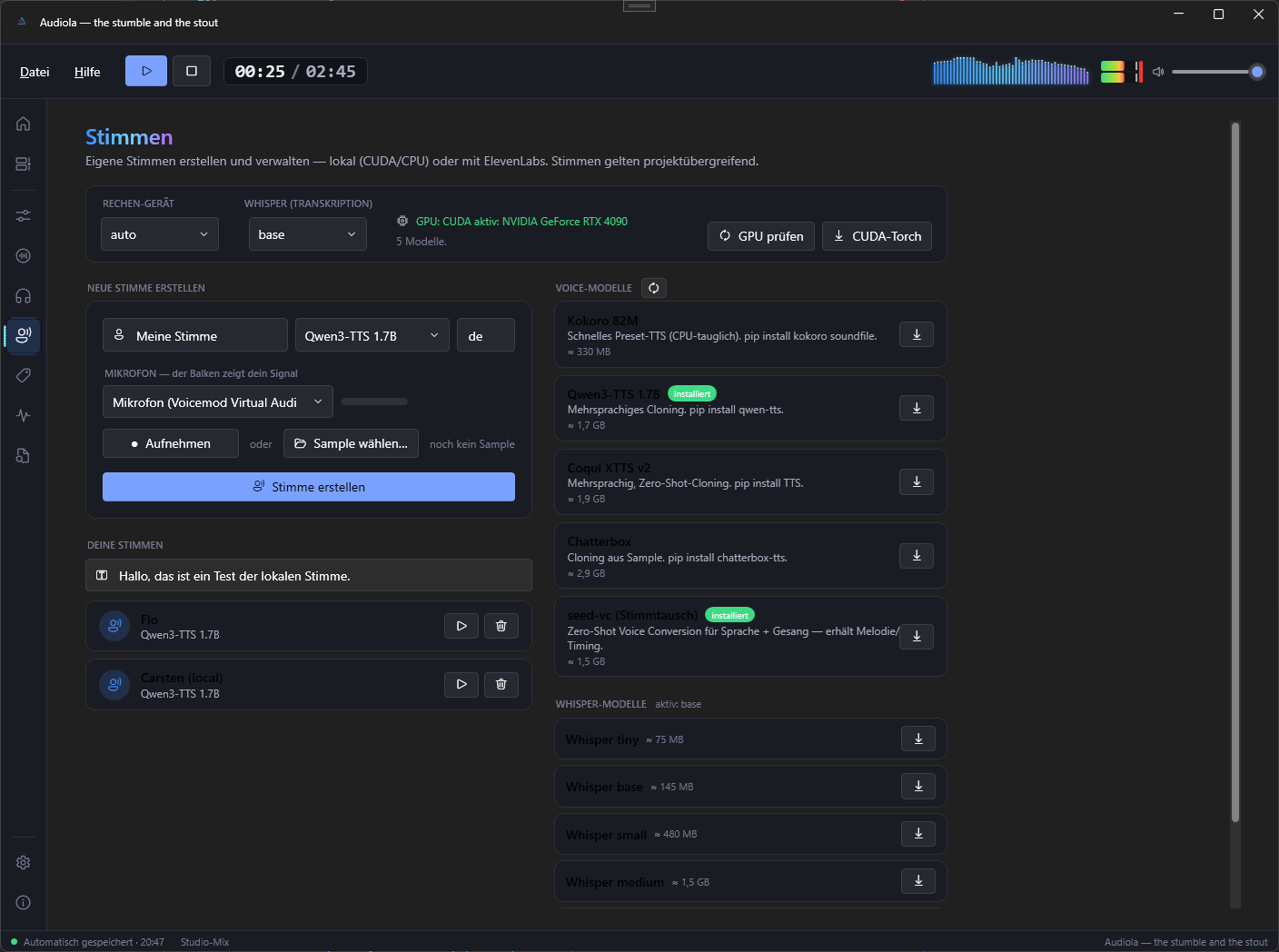
HELL & DUNKEL
Nachtschicht im dunklen Studio oder Tageslicht am Fenster. Zieh den Regler.
GALERIE

AUS DEM HAUSE AUDIOLA
Die Karaoke-Bühne für deine Party. Song rein, Mikros verteilen, lossingen.
Lyrics und Noten kommen von selbst.
Jede und jeder mit eigenem Mikrofon und eigener Farbe. Die Pitch-Linien laufen live über das Notenband.
Aus Tags, .lrc, Audiola-Projekten oder per KI-Erkennung. Einmal erkannt, merkt sich das Song-Gedächtnis den Rest.
Punkte fürs Treffen der Original-Melodie, Combos für Serien. Wie damals, nur auf deinem Rechner.
Ganze Playlisten oder zufällige Songs, mehrere Runden und Zwischenstand, bis der Sieger feststeht.
Wir wählen die passende Version für dein System.

Das komplette Studio: Stems, Timeline, Einsingen, Mastering, Spatial, Stimmen.
Die Karaoke-Bühne: Mehrspieler, Notenband, Playlisten, Party.
 AUCH VON UNS
Videoschnitt und Bearbeitung. Für dein Bild das, was Audiola für deinen Ton ist.
videola.app ↗
AUCH VON UNS
Videoschnitt und Bearbeitung. Für dein Bild das, was Audiola für deinen Ton ist.
videola.app ↗
Alle Plattformen: GitHub Releases. Die passenden Installer und Update-Feeds findest du in GitHub Releases.
Fehler gefunden oder eine Funktion vermisst? Schreib direkt hier, ohne Konto. Und wenn dir Audiola etwas wert ist: Entwicklung und Rechenzeit kosten Geld.
KONTAKT
Fragen, Fehlerberichte und Wünsche landen ohne Umweg bei uns.
UNTERSTÜTZEN
Audiola ist kostenlos und bleibt es. Wer mag, gibt etwas zurück.
USED BY
BUILT WITH
Audiola nutzt Komponenten dieser Open-Source-Projekte.

 AuralizerAudio-Visualisierung
 MudBlazor.ExtensionsUI- & Vorschau-Komponenten